Quick Level Search:
Game Version:
Tricky Story Level 30 - Complete Walkthrough Guide
Difficulty
Intermediate to Difficult
Time Limit
60 seconds
Level Theme
Help Riley complete her talent performance
Level Overview
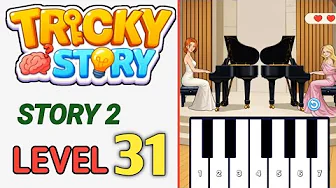
Welcome to Tricky Story Story 2 Level 30! A grand campus talent show is being held in the auditorium. Riley (orange-haired girl in deep blue uniform on the right stage) is preparing to go on stage for a wonderful instrument performance to amaze the whole school and completely crush fake heiress Claire's social status. However, jealous Claire (girl in white dress in lower left corner) has already set up layers of obstacles and malicious interference around the stage. This level's core mechanism is action counter mode (0/8). You must link the stage assets, audience classmates and hidden props of the auditorium to continuously execute 8 successful instrument repair, trap clearing and whole field atmosphere building operations within the 60-second time limit. Each correct interaction will add "+1" to the progress bar. Collect 8 points to assist Riley in perfectly completing the performance and winning whole field cheers!
Step-by-Step Walkthrough
- Pick Up Violin Bow on Ground (Progress 1/8): Observe the wooden floor in the lower left corner of the stage. A brown violin bow is lying there. Click and hold this bow to lift it from the ground.
- Hand Bow to Riley for Performance Preparation (Progress 2/8): Drag the picked-up violin bow and hand it to Riley on the right stage. She will hold the bow tightly and prepare to perform.
- Adjust Stage Spotlight Angle (Progress 3/8): Click the large white spotlight hanging above the stage. Drag it to adjust the angle so the light shines precisely on Riley's performance area.
- Remove Banana Peel Trap on Stage (Progress 4/8): Notice a yellow banana peel on the stage floor. Click and drag it to throw it into the trash can offstage to prevent Riley from slipping.
- Repair Broken Music Stand (Progress 5/8): Click the fallen music stand on the left side of the stage. Straighten it up and place the sheet music on it for Riley to read.
- Guide Audience to Applaud (Progress 6/8): Click the audience members sitting in the front row. They will start clapping to create a warm atmosphere for Riley.
- Turn On Stage Sound System (Progress 7/8): Click the black speaker on the right side of the stage to turn on the sound system, ensuring Riley's performance can be heard clearly throughout the auditorium.
- Start Performance to Complete Final Triumph (Progress 8/8): When all preparations are complete (progress bar reaches 7/8), click Riley herself. She will start her stunning violin performance. The whole audience is mesmerized. Progress bar fills to 8/8 for perfect clearance!
Pro Tips
- Multi-finger parallel operation: Picking up the bow (Step 1) and adjusting the spotlight (Step 3) can be done simultaneously with two fingers without waiting for animations to finish.
- Clear all traps before performance: Make sure to remove the banana peel (Step 4) and repair the music stand (Step 5) before clicking Riley to start the performance.
Common Mistakes
- Clicking Riley to start performance before preparations are complete: Riley cannot perform without the bow, spotlight, and other preparations. Complete Steps 1-7 first.
- Throwing banana peel at Claire instead of trash can: While tempting, this will not progress the level. Throw it in the trash can.
- Only clicking music stand without straightening it: You must drag the music stand upright, not just tap it.
Frequently Asked Questions
Why can't I click Riley to start the performance?
You must complete all 7 preparation steps first. Riley's performance action is locked until the progress bar reaches 7/8.
What are the "118" stars in the upper right corner for?
That represents your total accumulated stars from clearing previous levels. They can be used to unlock costumes and extras in the main menu.
Tricky Story Level Walkthroughs
Complete walkthroughs for every level in Tricky Story
No featured levels available
Please try again later
Comments (0)
Leave a Comment
No comments yet. Be the first to comment!